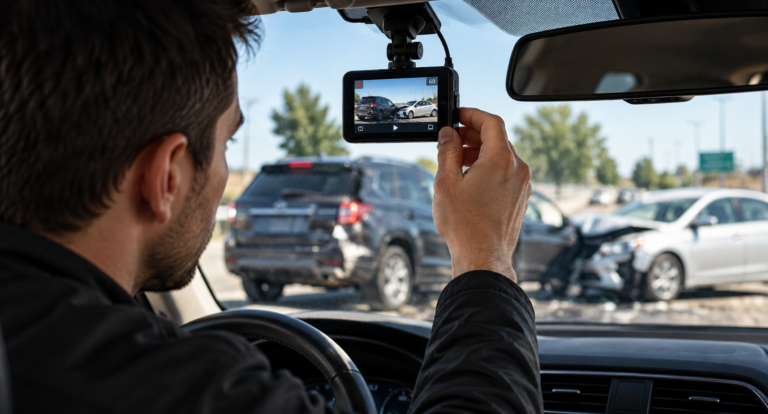
A dashcam can record important moments before, during, and after a car accident. Depending on the camera’s position and capabilities, the recording might show traffic signals, vehicle movements, lane positions, road conditions, or the sequence leading up to an impact. But simply having a dashcam does not guarantee that useful footage will still be available when you need it.
Many dashcams continuously record using a process called loop recording. When storage becomes full, the camera begins replacing older files with newer recordings. That is convenient during ordinary driving because you do not need to clear the memory card constantly. After an accident, however, the same feature can become a problem. If an important clip is not protected, continued recording could eventually overwrite it.
Knowing how to save dashcam footage after an accident can therefore be an important part of post-crash documentation. The exact controls vary between camera models, but the general goal is straightforward: protect the original recording, make reliable backups, and avoid changing the source file unnecessarily.
Why Dashcam Footage Can Disappear
Most consumer dashcams have limited storage. Instead of stopping when the memory card becomes full, many devices automatically delete or overwrite older recordings. This allows the camera to continue recording without requiring the driver to replace the memory card every few days.
Some dashcams include a G-sensor that detects sudden movement or impact and automatically protects the corresponding recording. That can be useful during a collision, but drivers should not assume that every important incident will trigger the feature. A low-speed parking collision, near miss, hit-and-run witnessed from another lane, or other unusual event might not produce enough force to activate automatic protection.
Do Not Assume the File Saved Itself
 After you are safe and any urgent medical or emergency needs have been addressed, determine whether your camera has protected the relevant recording. Consult the dashcam’s instructions if you do not know how its emergency-save function operates.
If the camera allows you to lock or protect the file without disrupting other important data, doing so can help prevent normal loop recording from replacing it. The safest steps depend on the specific device, so drivers should learn their dashcam controls before an accident occurs.
Learn the Emergency Button Before You Need It
A crash scene is not the ideal place to learn a complicated camera interface. When installing a dashcam, identify how to protect a recording, remove the memory card, access saved files, and determine whether the camera separates normal recordings from emergency clips.
Consumer Reports notes that dashcams commonly store recordings on microSD cards, although some models also allow recordings to be accessed through smartphone applications or other connected features. The available storage and retrieval options depend on the camera. Consumer Reports’ dashcam buying guidance provides additional background on common dashcam features.
Start With Safety Before Saving Video
Footage is never more important than personal safety. Immediately after a collision, first determine whether anyone needs emergency medical assistance. If the vehicles are creating an immediate danger, follow applicable instructions from emergency personnel and local authorities about moving to a safer location.
Do not remain in an unsafe traffic lane simply because you are trying to operate a dashcam. A recording can be dealt with after immediate safety concerns are addressed.
Document the Scene Beyond the Dashcam
Even excellent video may capture only one angle. A front-facing camera might show the roadway ahead but not damage along the side or rear of the vehicle. A rear camera might record an impact without showing the traffic signal controlling the intersection.
When it is safe to do so, other useful documentation may include photographs of vehicle damage, vehicle positions, road markings, traffic signals, debris, weather conditions, and the surrounding area. Drivers can also record basic information about the time and location of the collision.
For broader preparation tips, see Top Car Accident Prevention Tips Every Driver Should Learn.
Identify the Correct Dashcam Recording
Once immediate safety concerns are under control, identify the recording associated with the collision. Do not focus only on the exact second of impact. The moments leading up to a crash can provide useful context about vehicle movement, traffic conditions, signals, braking, or lane changes.
The moments immediately afterward can also matter. A recording might show where vehicles stopped, whether another vehicle left the scene, or what traffic conditions looked like after impact.
Check Front and Rear Cameras
If your system has multiple cameras, preserve footage from each relevant camera. Front, rear, cabin, and side-facing cameras may capture different information.
A rear-facing camera, for example, may show how quickly another vehicle approached before a rear-end collision. The front camera may simultaneously show that traffic ahead had stopped. Together, those recordings may provide more context than either camera alone.
Create More Than One Backup
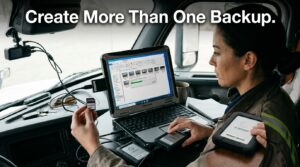
Protecting the recording on the memory card is only the first step. Memory cards can fail, become corrupted, get lost, or accidentally be formatted. Creating additional copies can reduce the risk of losing the only recording.
Keep the Original File
Preserve the original recording whenever possible. Rather than editing the only copy, make a duplicate before creating shorter clips or versions for easier viewing.
The original file may contain useful information such as its creation time or other metadata generated by the camera. Some dashcams also record GPS information or speed data. Features vary considerably, and consumer GPS or speed information should not automatically be treated as perfect or conclusive.
Use Separate Storage Locations
Depending on the equipment available, you might save one copy to a computer and another to an external drive or secure cloud-storage account. The important point is to avoid relying on a single memory card as the only location containing the video.
Give backup files clear names that allow you to identify the incident without modifying the original. For example, a duplicate could be organized by date, general location, and camera position.
Avoid Editing the Only Copy
Drivers may want to trim a long video so that the important moment is easier to send or view. That can be convenient, but an edited clip should not replace the original recording.
Keep the complete source file intact. If you create a shorter copy, treat it as a separate viewing version. Avoid adding filters, captions, visual effects, speed changes, or other modifications to the source footage.
Preserve Context Around the Collision
A five-second clip may show the moment two vehicles collide but leave out information that explains how they reached that position. A longer recording may show a traffic light, earlier lane movements, braking, a vehicle approaching from behind, or other relevant context.
Current dashcam preservation guidance recommends saving the original footage promptly and retaining surrounding video rather than relying solely on the instant of impact. Loop recording can otherwise overwrite files that were not protected.
What Dashcam Footage May Show
A dashcam records the scene from a particular camera position. Depending on image quality, lighting, placement, and field of view, the footage may help document several aspects of a collision.
Traffic Signals and Signs
A forward-facing camera may capture whether a traffic signal was red or green, whether a stop sign was present, or whether another traffic-control device was visible. The camera angle and timing determine what can actually be established from the recording.
 Vehicle Movement
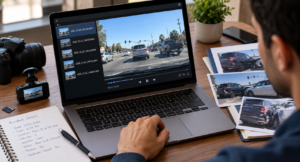
Footage may show a vehicle changing lanes, entering an intersection, braking, turning, or moving through traffic. Rear footage may show another vehicle approaching from behind.
Road and Weather Conditions
Video can sometimes document rain, standing water, snow, visibility, road construction, lane markings, or congestion. These details can provide context about conditions at the time of a collision.
Hit-and-Run Details
A camera might record the vehicle that leaves a crash scene. However, drivers should not assume that a license plate will always be readable. Distance, movement, darkness, glare, resolution, and camera angle can affect image clarity.
Understand What Footage Cannot Prove
Video can be useful without telling the entire story. A camera has a limited field of view and records only what appears within that frame. It may not capture something occurring beside the vehicle or behind an obstruction.
For example, a front-facing camera might show another vehicle entering the lane but fail to show what occurred in the driver’s blind spot immediately beforehand. A recording might capture the impact without clearly showing which driver had a particular traffic signal.
Dashcam footage should therefore be viewed as one source of information rather than automatic proof of every disputed fact. Other information may include photographs, witness accounts, police reports, vehicle damage, and additional records.
Should You Post Crash Footage Online?
After a frustrating collision, some drivers immediately want to post their dashcam video on social media. It may be better to preserve the footage privately before deciding whether public sharing is appropriate.
Once a video is posted publicly, other people can download, edit, repost, or comment on it. Public discussion may also remove details from their original context. If the recording is connected to an insurance dispute, investigation, or legal matter, consider obtaining appropriate guidance before publishing it.
Do Not Delete Footage Because It Looks Unhelpful
A recording may contain information you initially overlook. Something visible for only a moment could become relevant later. Preserve the original rather than deleting it simply because it does not appear immediately useful.
Dashcam Footage and Insurance Claims
Dashcam video may provide an insurer with additional information about a collision, but footage does not automatically determine responsibility or guarantee that a claim will be approved. Insurance companies can consider multiple forms of information when investigating an accident.
If an insurer requests footage, ask how it should be submitted and retain your own original and backup copies. Do not surrender your only memory card or delete your own copy after uploading a file.
For a broader introduction to the claims process, read Car Accident Basics: How Insurance Works After a Crash.
Prepare Your Dashcam Before an Accident Happens
The easiest time to develop a footage-preservation routine is before you ever need it. Check periodically that the camera is actually recording and that the date and time settings are correct. Review the manufacturer’s recommendations for compatible memory cards and replacement intervals.
Perform Regular Recording Checks
A dashcam mounted on the windshield can look as though it is operating normally even when the memory card has developed a problem. Occasionally review a sample recording to confirm that video is being stored properly.
Keep the Lens and Windshield Clean
A dirty lens or windshield can reduce image quality. Glare, fingerprints, condensation, and dust may make important details harder to see, particularly at night.
Know How Your Parking Mode Works
Some cameras offer parking surveillance, but operation varies by model and installation. Learn whether your system records continuously, activates after detecting motion or impact, and requires a particular power connection.
A Simple Dashcam Preservation Checklist
After immediate medical and roadway safety needs have been addressed, a basic preservation routine may include the following:
- Confirm that the relevant recording exists.
- Protect or lock the file according to the camera’s instructions.
- Preserve video from all relevant cameras.
- Keep footage from before, during, and after the collision.
- Retain the original file without editing it.
- Create at least one additional backup.
- Keep related crash photographs and records organized.
- Avoid relying on social media as your backup location.
- Check submission requirements before providing footage to an insurer or other requesting party.
Final Thoughts
A dashcam can be a useful documentation tool, but its value depends on whether the recording survives after the collision. Loop recording, memory-card problems, accidental formatting, and premature editing can all create avoidable problems.
The key is to protect the original recording as soon as it is safe to do so, preserve enough footage to provide context, and create backups in separate locations. Drivers should also remember that a dashcam records only one view of an event. Photographs, reports, witness information, and other documentation may still be important.
Preparing before a crash makes the process much easier. Learn how your camera saves emergency files, confirm periodically that it is recording correctly, and know how to access the memory card or recordings. A few minutes of preparation can prevent discovering after an accident that an important video was never saved.
For additional information about vehicle technology and crash documentation, review NHTSA’s information about event data recorders, Consumer Reports’ dashcam buying guide, and NHTSA’s driver-assistance technology resources.